Instagram remains one of the most visually competitive platforms in 2026. With over 2 billion monthly active users, standing out requires more than just a good photo—it demands intentional, cohesive design. Fortunately, Canva’s massive element library gives creators, small business owners, and social media managers everything they need to produce professional-grade content without advanced design skills.
This guide breaks down the best Canva elements for Instagram post design, organized by function and aesthetic. Whether you’re building a minimalist brand or a bold, colorful feed, these keywords and categories will help you find the right assets faster.
Why Canva Elements Matter for Instagram Success
Canva elements are the building blocks of digital design—pre-made shapes, illustrations, frames, textures, and icons that you can drag, drop, and customize. Using the right elements helps you:
- Maintain brand consistency across your feed.
- Reduce design time from hours to minutes.
- Follow current visual trends without hiring a designer.
- Improve engagement through professional, polished aesthetics.
The key is knowing which keywords to search. Canva’s library contains millions of assets, but vague searches like “shape” or “background” return overwhelming, irrelevant results. Below, we share the exact search terms that yield the best results.
Essential Frame and Container Elements
Frames and containers structure your content, drawing the eye to photos, text, or products.
Top Canva Keywords for Frames.
“Instagram frame” — perfectly sized borders and overlays designed specifically for square and portrait posts
“Polaroid frame” — vintage-style photo holders ideal for lifestyle and memory-themed content
“Film strip” — great for carousel posts or behind-the-scenes storytelling
“Photo collage grid” — multi-image layouts for showcasing product collections or event highlights
“Rounded rectangle frame” — soft, modern edges that feel friendly and approachable
“Arch frame” — trending in 2025–2026 for boho, wellness, and wedding niches
“Organic shape frame” — irregular, hand-drawn feeling borders that add warmth
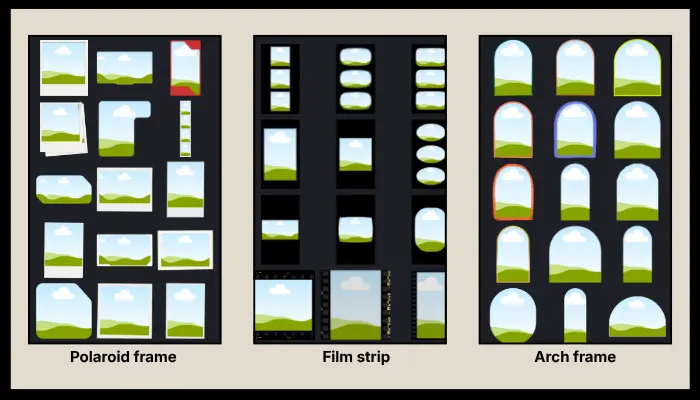
Pro Tip: Layer a subtle shadow behind your frame using the “shadow overlay” keyword to create depth and make your post pop in the scroll.
Background and Texture Elements
Backgrounds set the mood. Instead of flat colors, textured backgrounds add sophistication and tactility.
Best Background Keywords in Canva:
“Grain texture” — adds a subtle, film-like quality that reduces digital harshness.
“Paper texture” — mimics cardstock or watercolor paper; excellent for stationery and education brands.
“Gradient blob” — soft, flowing color transitions popular in tech and wellness branding
“Abstract background” — non-representational shapes and colors for versatile use
“Noise overlay” — vintage, lo-fi aesthetic favored by fashion and music accounts
“Watercolor wash” — artistic, fluid backgrounds perfect for creative and feminine brands
“Concrete texture” — industrial, modern feel for architecture, fitness, and urban lifestyle content
“Linen texture” — subtle woven appearance that elevates minimalist and luxury feeds
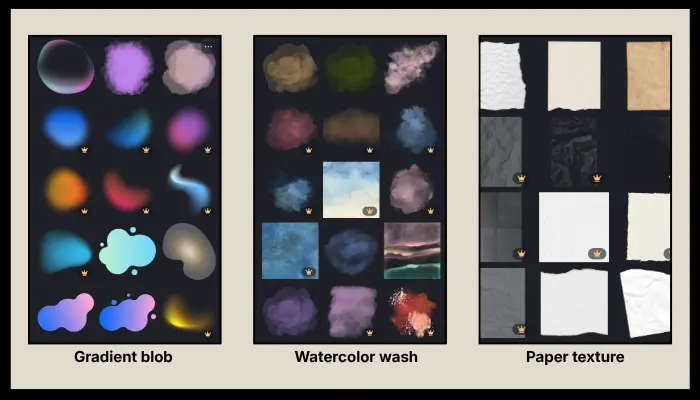
Design Strategy: Use textured backgrounds at 15–30% opacity over solid brand colors to add depth without distracting from your main message.
Trendy Shape and Accent Elements
Shapes guide visual flow and reinforce brand personality. In 2026, organic and retro-inspired shapes dominate Instagram design trends.
High-Performing Shape Keywords:
“Organic blob” — soft, irregular forms that feel human and approachable; works in almost every niche.
“Abstract shape” — geometric or fluid forms for modern, artistic layouts
“Memphis shape” — bold, colorful 90s-inspired geometry for playful, youthful brands
“Boho arch” — earthy, rounded forms trending in wellness, spirituality, and lifestyle content
“Wavy line” — adds movement and energy to static posts.
“Squiggle” — hand-drawn, imperfect lines that convey creativity and authenticity
“Irregular circle” — softer alternative to perfect circles; great for highlighting text or stats
“Liquid shape” — flowing, metallic, or glossy forms for futuristic or premium aesthetics
“Retro star” — 70s-inspired celestial accents making a major comeback in fashion and beauty
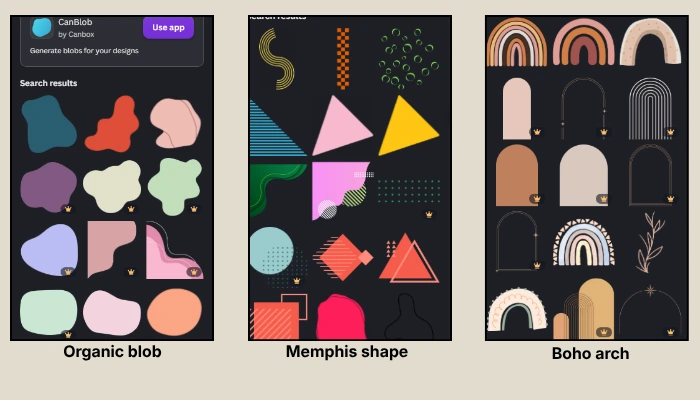
Typography and Text Elements
Text elements in Canva go beyond standard fonts. Pre-designed typography combinations save time and ensure visual hierarchy.
Best Text Element Keywords:
“3D text” — dimensional lettering that grabs attention for announcements and sales
“Retro typography” — vintage-styled word art for nostalgic branding
“Handwritten quote” — script-style text blocks ideal for motivational and lifestyle accounts
“Bold headline” — large, impactful text treatments for news, tips, and educational posts
“Y2K text” — chrome, bubble, or glitch effects popular with Gen Z and streetwear brands
“Shadow text” — adds depth and readability against busy backgrounds.
“Sticker text” — casual, peel-and-stick aesthetic perfect for informal, relatable content
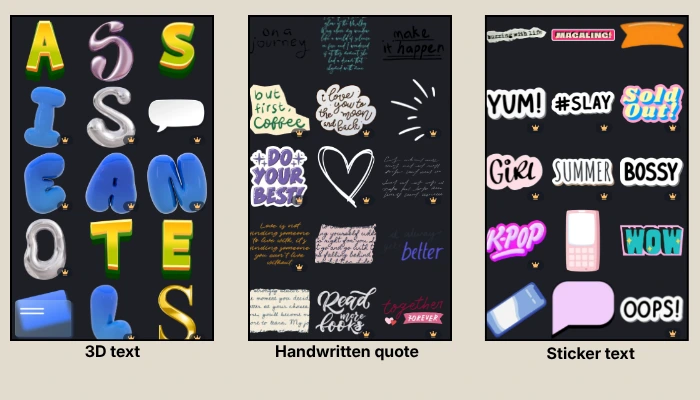
Readability Rule: Always ensure text contrast meets accessibility standards. Canva’s built-in contrast checker helps, but when in doubt, place text inside a semi-transparent shape using “text box background” or “highlight shape.”
Niche-Specific Illustration Elements
Illustrations add personality and can communicate complex ideas instantly.
Top Illustration Keywords by Aesthetic:
“Boho illustration” — earthy, line-art figures and botanicals for wellness and lifestyle
“Y2K sparkle” — stars, glimmers, and holographic accents for trendy, youthful content
“Retro sunset” — gradient suns and palm silhouettes for travel, music, and vintage brands
“Cottagecore” — pastoral, whimsical drawings for food, gardening, and slow-living niches
“Minimal line art” — single-line faces, bodies, and objects for luxury and fashion accounts
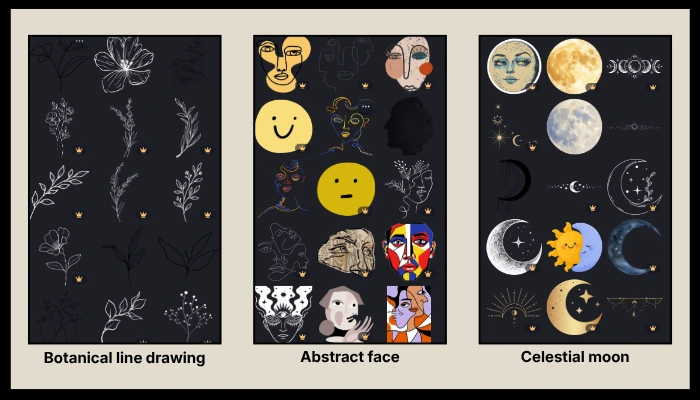
“Botanical line drawing” — delicate plants and flowers for beauty, wellness, and wedding industries
“Abstract face” — simplified human features for artsy, contemporary branding
“Celestial moon” — moons, stars, and cosmic elements for spiritual and nighttime-themed posts
Time-Saving Tip: Search “line art” + [your industry] (e.g., “coffee line art” or “yoga line art”) to find niche-specific illustrations faster.
Accent and Detail Elements
Small details elevate good design to great design. These finishing touches add polish and visual interest.
Essential Accent Keywords:
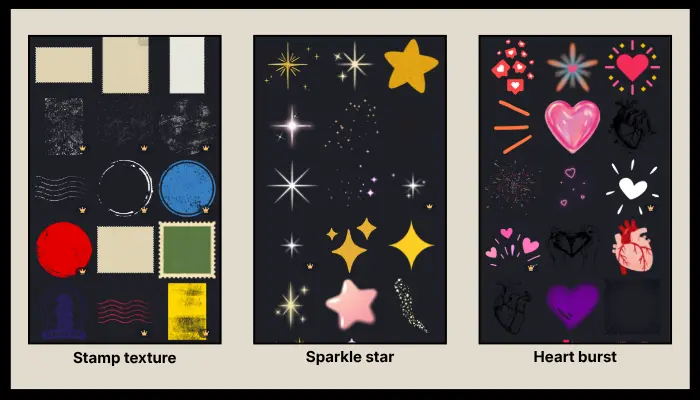
“Sparkle star” — subtle glimmers to highlight key information or add magic
“Doodle underline” — hand-drawn emphasis lines for headings and important phrases.
“Check mark” — clean, recognizable symbols for list-based educational posts
“Bullet point” — decorative alternatives to standard dots for visual lists
“Arrow scribble” — casual directional cues for carousels and step-by-step guides
“Heart burst” — expressive accent for appreciation posts and community engagement.
“Star cluster” — grouped celestial details for dreamy, aspirational content
“Stamp texture” — rubber-stamp effects for “approved,” “new,” or “limited” messaging
Instagram-Specific Functional Elements
These elements are designed specifically for social media workflows and user behavior.
Must-Have Social Keywords:
“Instagram highlight cover” — cohesive icons for profile organization.
“Story swipe” — animated or static arrows prompting users to swipe up or tap
“Link in bio arrow” — directional graphics driving traffic to your profile link
“Notification bell” — reminder graphics for “turn on post notifications” campaigns
“Like button” — familiar engagement icons for giveaway and interaction posts
“Comment bubble” — prompts encouraging audience discussion and comments
“Follow button” — call-to-action graphics for growth-focused content
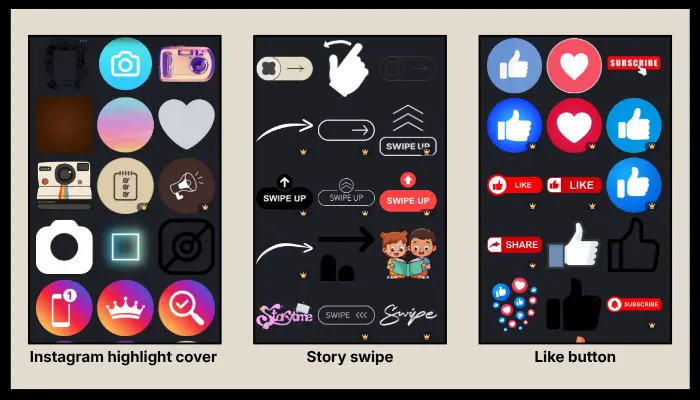
Photo Effect Overlays
Overlays transform ordinary photos into branded content pieces.
Best Overlay Keywords:
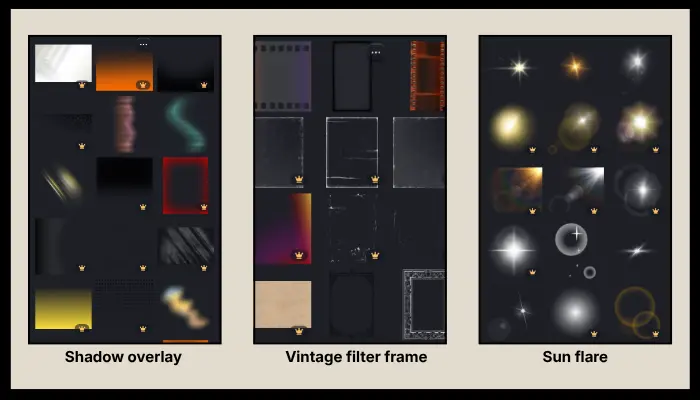
“Shadow overlay” — natural-looking shadows that add dimension to flat product photos
“Light leak” — vintage film light bursts for nostalgic, warm aesthetics
“Vintage filter frame” — pre-made color grading and border combinations
“Dust overlay” — subtle grain and specks for analog, film-photography vibes
“Sun flare” — bright, warm light bursts for outdoor and lifestyle imagery
“Lens flare” — cinematic light effects for dramatic, high-impact visuals
How to Organize Your Canva Instagram Workflow
Finding elements is only half the battle. To design efficiently:
Create a Brand Kit — Save your colors, fonts, and logo so every element you add matches automatically.
Use Folders — Organize downloaded or favorite elements by campaign or content pillar.
Save Custom Templates — Once you design a high-performing post, duplicate it rather than starting from scratch.
Search Combinations — Instead of “star,” try “y2k sparkle star” or “boho star cluster” for more precise results.
Check Licensing — Most Canva elements are free for commercial use, but verify licensing for Pro elements if you’re managing client accounts.
Final Thoughts
The best Canva elements for Instagram post design are the ones that align with your brand identity while leveraging current visual trends. In 2026, the most versatile and high-performing keywords remain organic blob, line art, and grain texture—these three categories adapt across virtually every industry and aesthetic.
By using the exact search terms outlined in this guide, you can cut through Canva’s massive library and find assets that make your Instagram content look intentional, professional, and scroll-stopping. Start with frames and backgrounds, layer in shapes and typography, and finish with accents and overlays. Your cohesive, engaging feed is closer than you think.
Looking for more Instagram design tips? Explore our guides on [Canva color palettes for social media] and [Instagram carousel design best practices] to complete your content creation toolkit.